

A re-designed and refined product for businesses who operate their own-fleet deliveries or service staff who require a signature.
Integrating with Sage 200, Spindle’s Proof of Delivery module has been further improved.
Ideal for businesses who operate their own-fleet deliveries or service staff who require a signature, this module allows staff to easily plan, track and make deliveries without having to deal with physical papers.
With Spindle Proof of Delivery, you can also communicate with your customers in a smoother manner, responding to their requests using your live control of the delivery fleet.
Whether you’re in the back office or on site, Spindle’s Proof of Delivery module now goes the extra mile to make sure your deliveries hit their mark every time.
Supporting businesses across the UK
Ideal for companies with:
-
Their own-fleet deliveries or service staff who require a signature
-
Requirement to a schedule delivery from a sales order
-
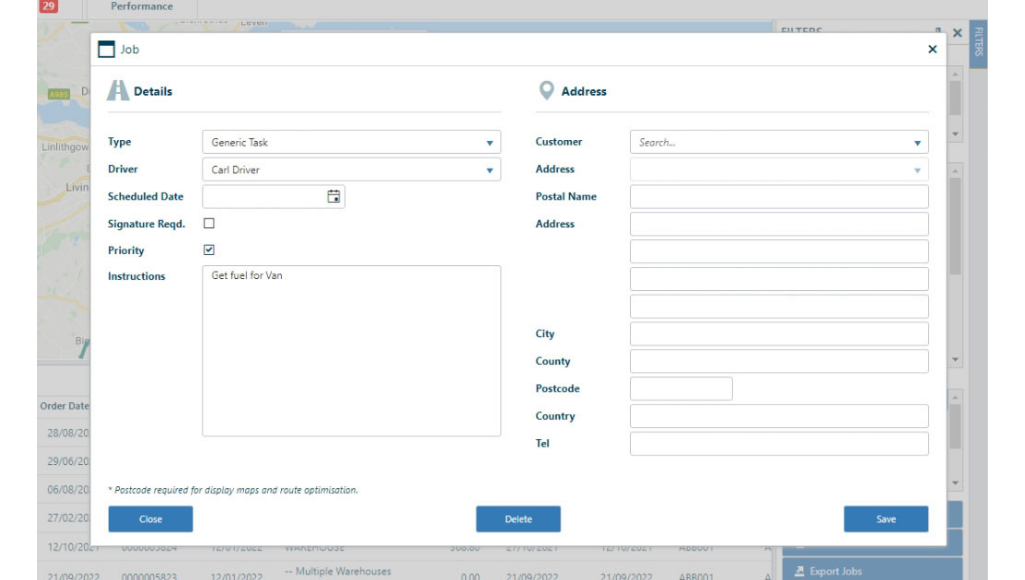
Requirement to create one off tasks for drivers
-
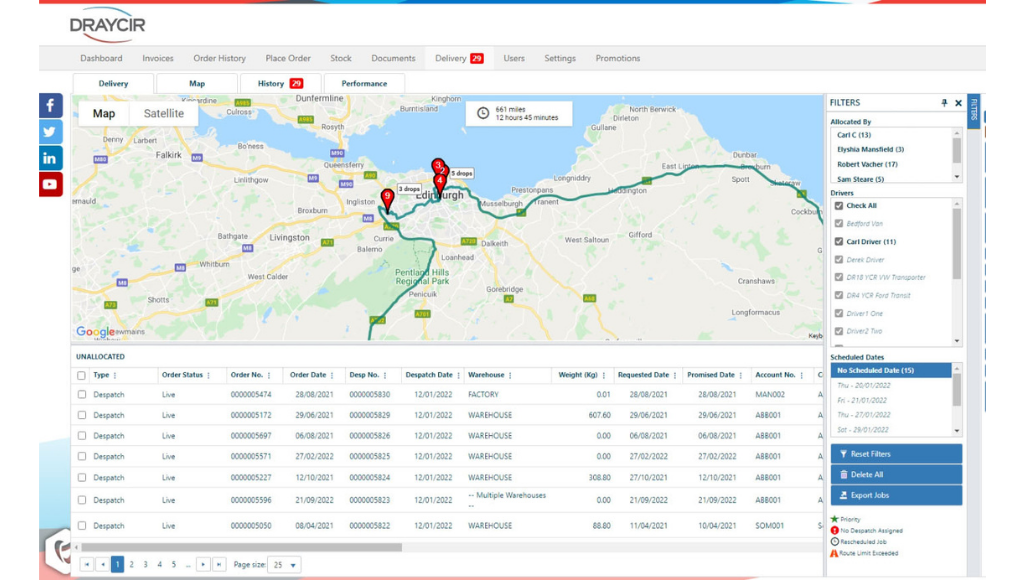
Requirement to plan routes quickly and effectively
Key Software Features
-
Ability to schedule deliveries from sales order
-
Improved overall job management to record any issues and inform back office staff immediately
-
Search all related documentation and reduce the chances of lost or misplaced documents
-
Android app for drivers
-
Quickly capture customers signature, without the need to carry delivery notes and other paperwork

Benefits of Spindle Proof of Delivery
Access from anywhere
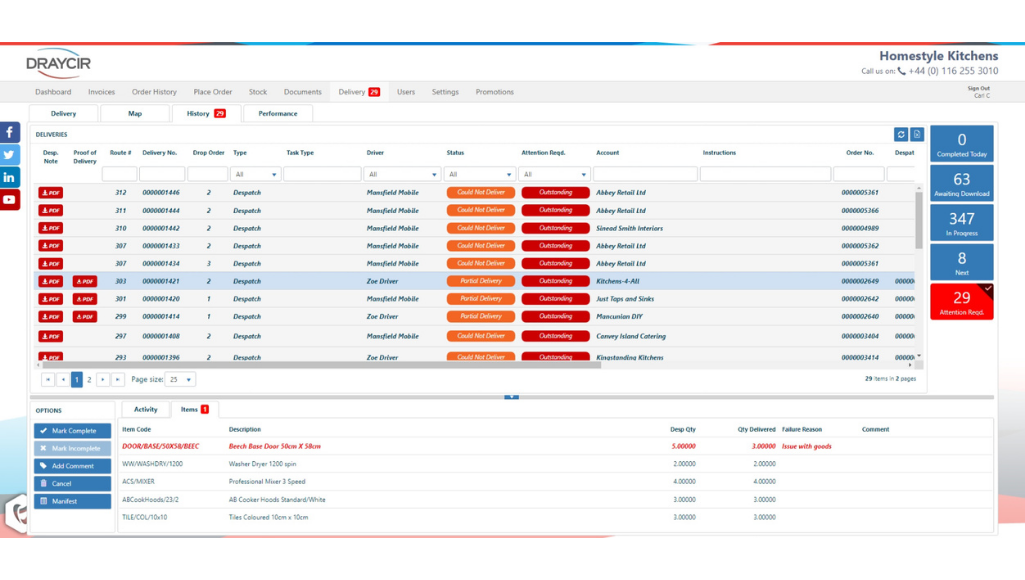
Android app for drivers, easily allowing you to see if items can’t be delivered and the reasons why.
Stay organised
Schedule deliveries for future dates and automatically import associated Sage despatches. You can also schedule deliveries and build routes from a sales order.
Easier journeys
Delivery maps now have normal map view, satellite and street view

See what you need
Improved filtering options include pre-filtering of Sage deliveries and your filters are saved between logins.
Brand new manifest
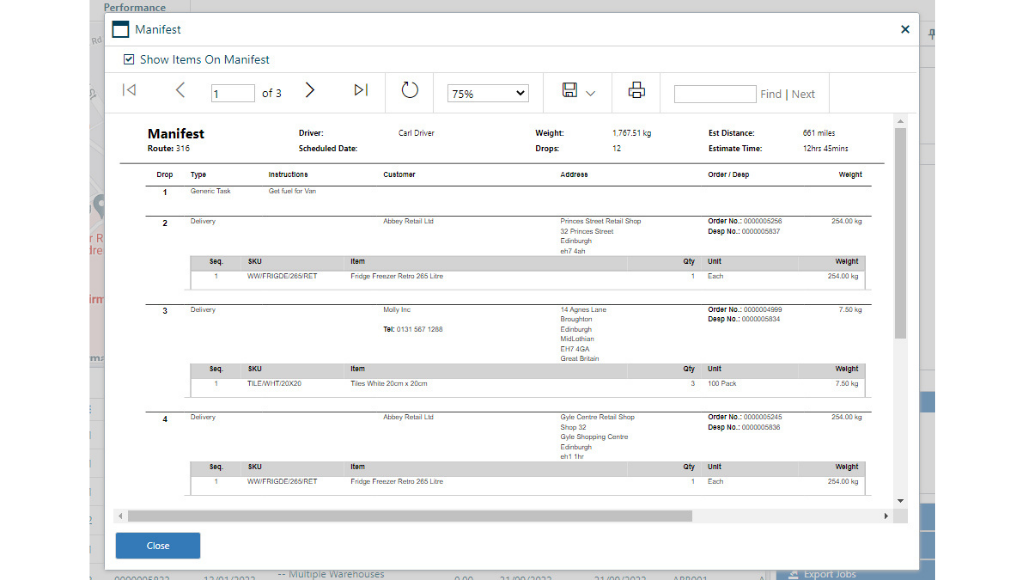
The new manifest enables you to show or hide items on the despatches. It can also be printed and exported directly. If you can’t deliver, this will update any changes or accepted quantities, allowing drivers to edit delivery information in real-time and ahead of the delivery.
Notification of failed deliveries
Get notified of failed deliveries on the main toolbar, delivery and lines tabs. See clearly those jobs that need attention. Mark a failed delivery as complete in the same way as marking an item complete on a to-do list.
If you would like to arrange an onsite demonstration of how Spindle Proof of Delivery can work for you, then do not hesitate to contact us via [email protected] or give us a call on 01332 959008
Find out more about our Spindle Proof of Delivery!
Call 01332 959008 or enquire online today
"*" indicates required fields